
6. Settings
Main Settings
Settings
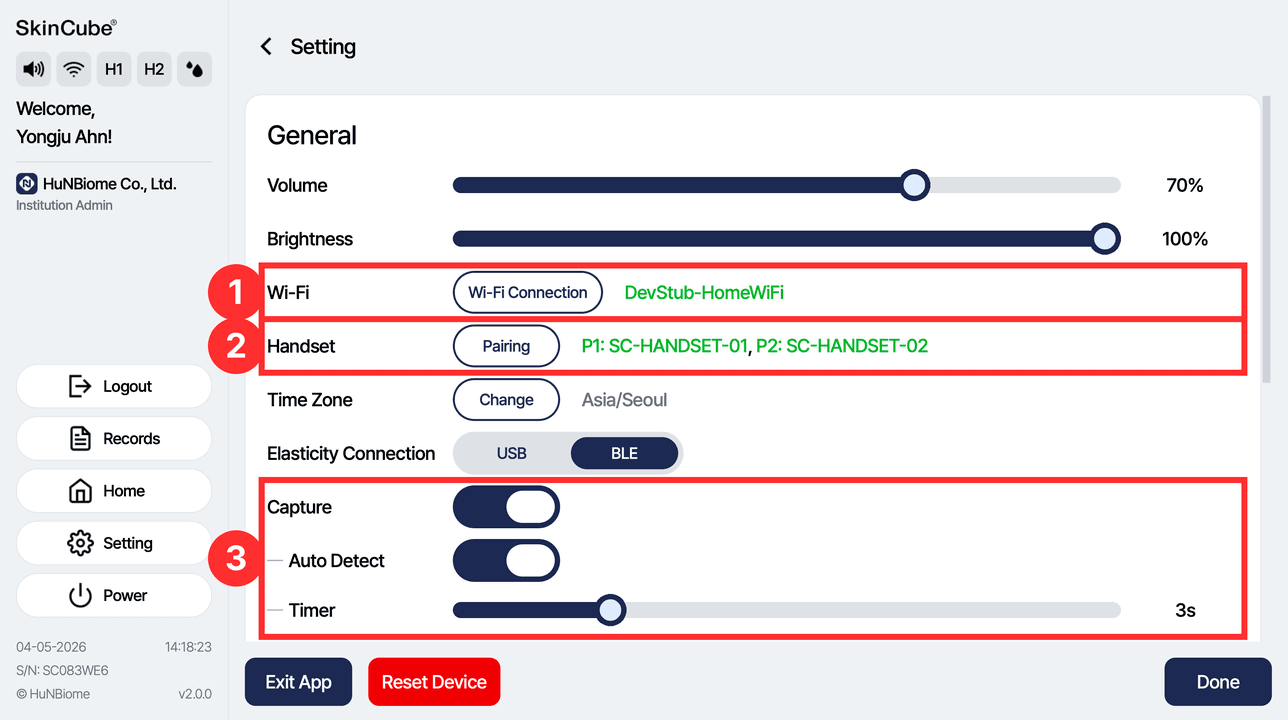
① Wi-Fi: connect to a wireless network
② Handset: pair handsets
③ Capture: turn face photos on or off and set Auto Detect and the Timer
• You can also set the volume, brightness, time zone and Elasticity Connection (USB/BLE).
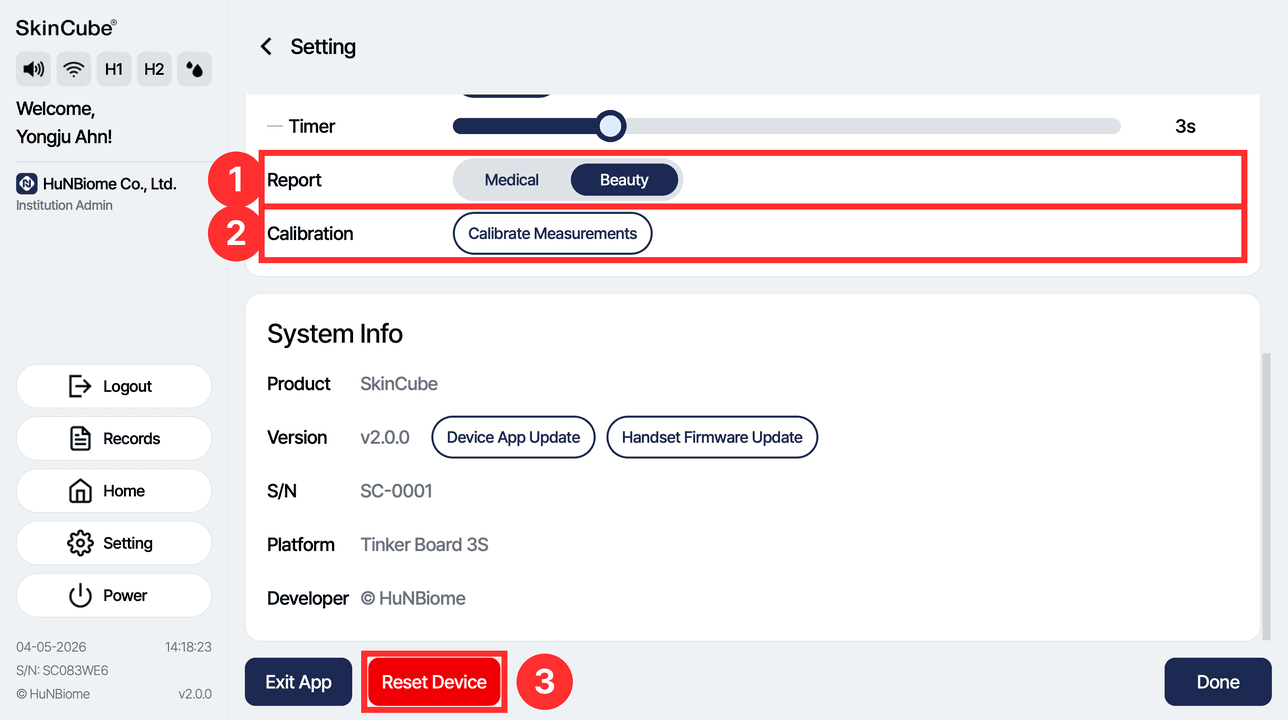
① Report: change the report format (Medical/Beauty)
② Calibration: go to the calibration screen
③ Reset Device: deletes all data on the device. (Caution)
Side panel
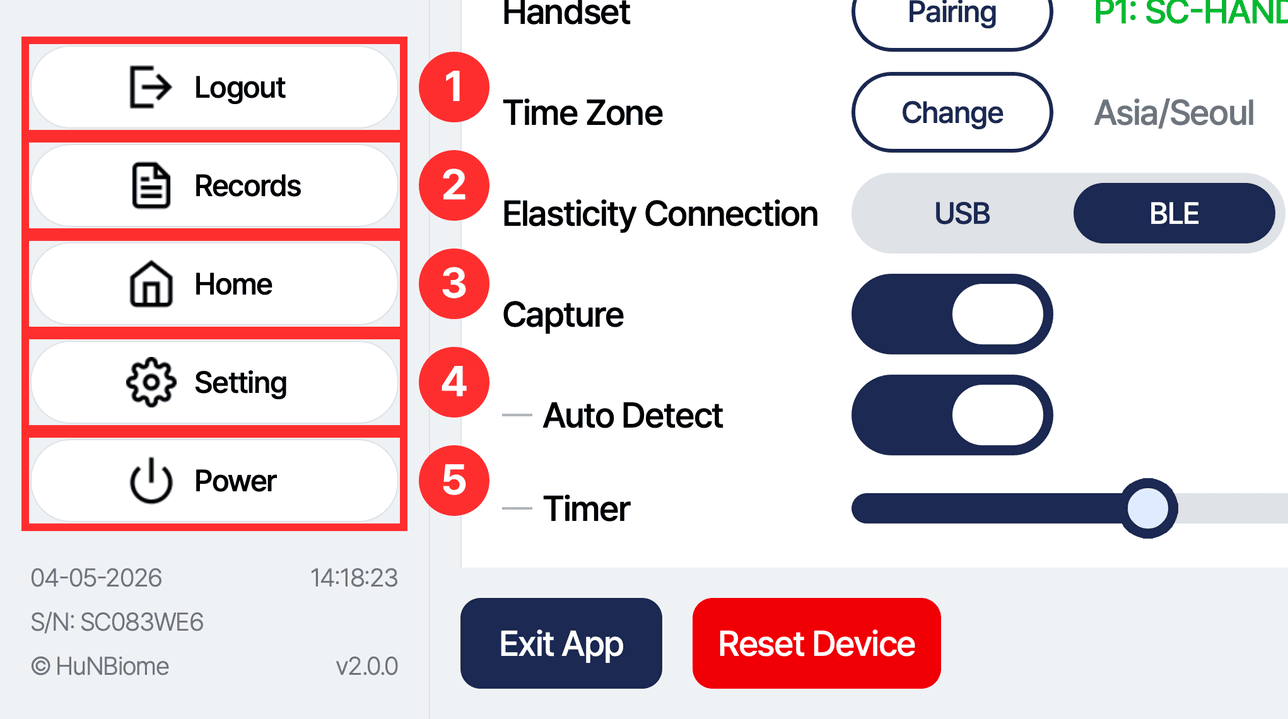
① Logout: log out of the account
② Records: go to the subject list
③ Home: go to the account (login) screen
④ Setting: go to the settings screen
⑤ Power: turn off the device
6-1. Settings
Handset Pairing
Assigning a handset
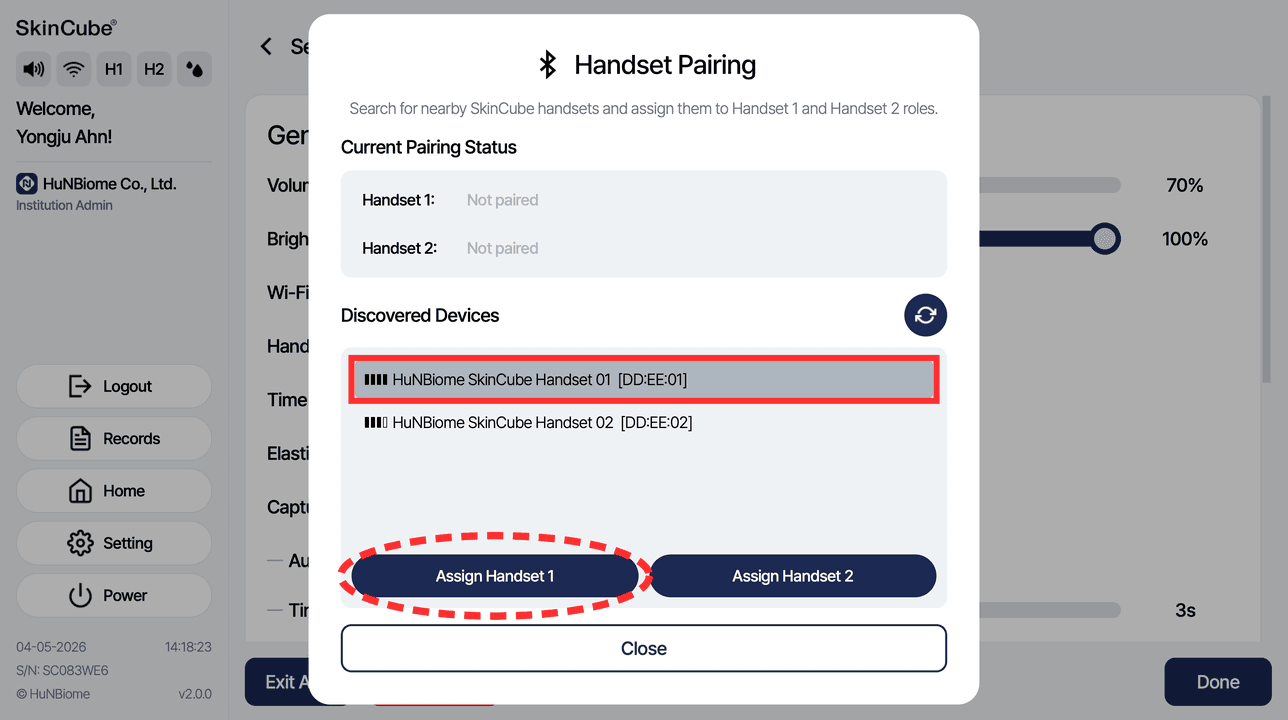
Select a handset under Discovered Devices, then press Assign Handset 1 or Assign Handset 2.
Unpairing a handset
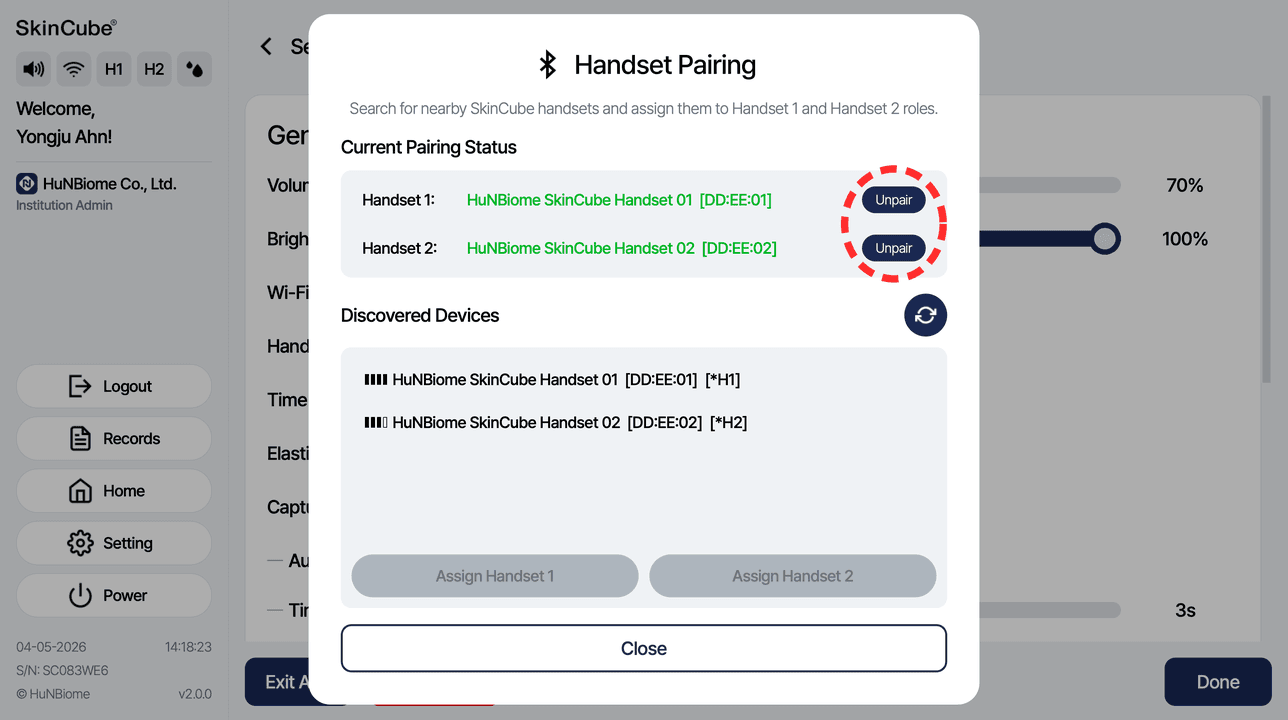
Under Current Pairing Status, press Unpair next to the handset you want to remove.
6-2. Settings
Calibration
Choosing what to calibrate
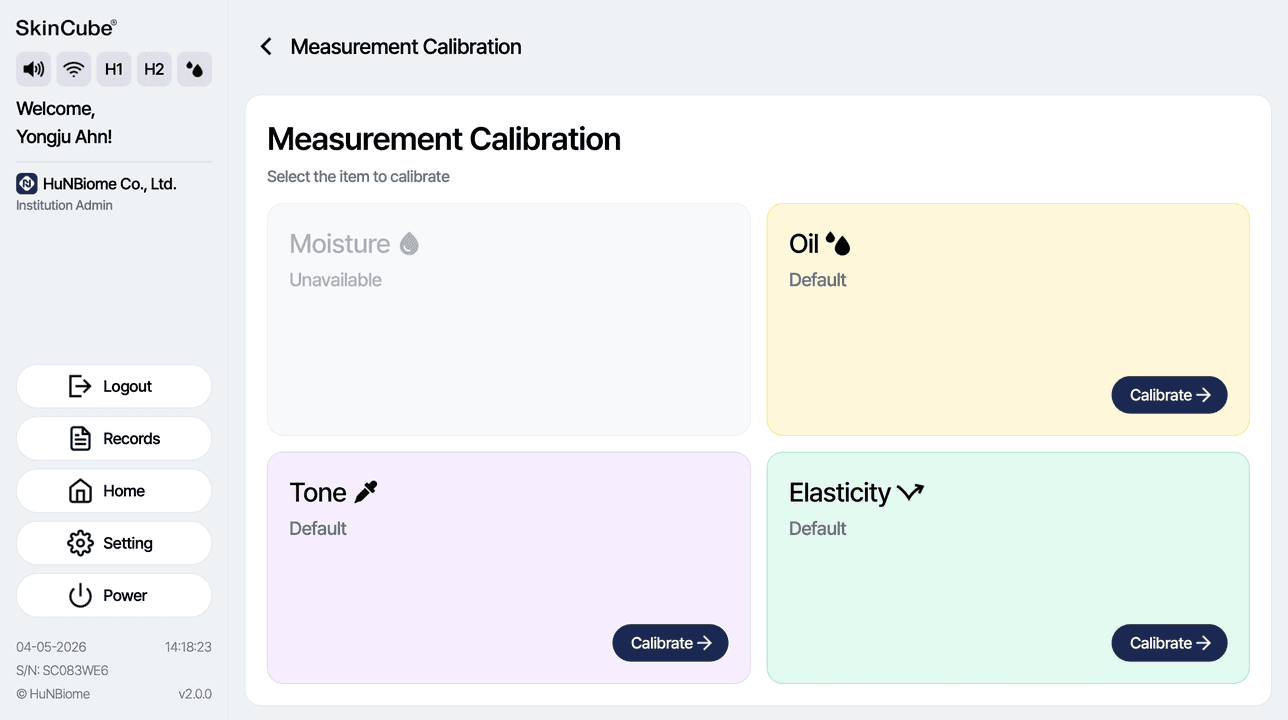
Press the Calibrate button of the item to calibrate. Moisture calibration is not available yet.
Oil sensor
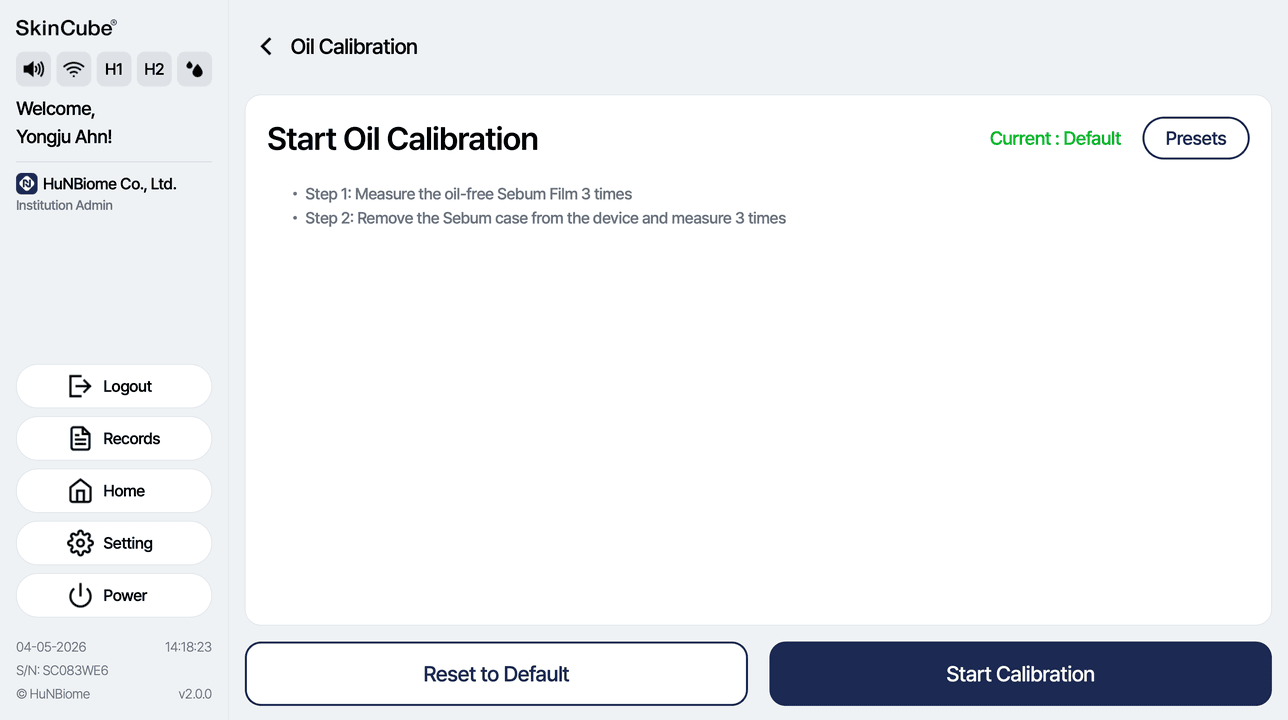
Step 1: Measure 3 times with a clean Sebum Film with no oil on it.
Step 2: Remove the Sebum case from the main unit, then measure 3 times.
Tone sensor
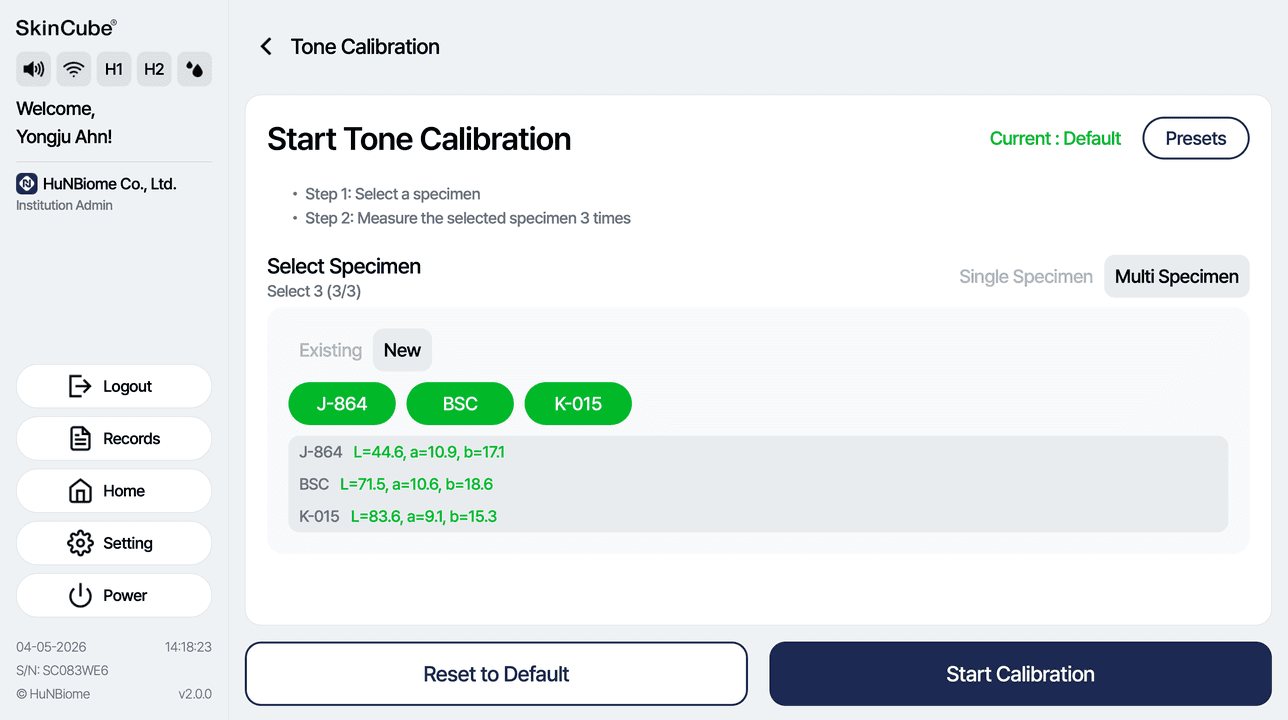
Select the prepared specimens, lay each specimen flat and hold the handset vertically against it, measuring each specimen 3 times.
• Multi Specimen (default): 3 specimens, Single Specimen: 1 specimen
Elasticity sensor
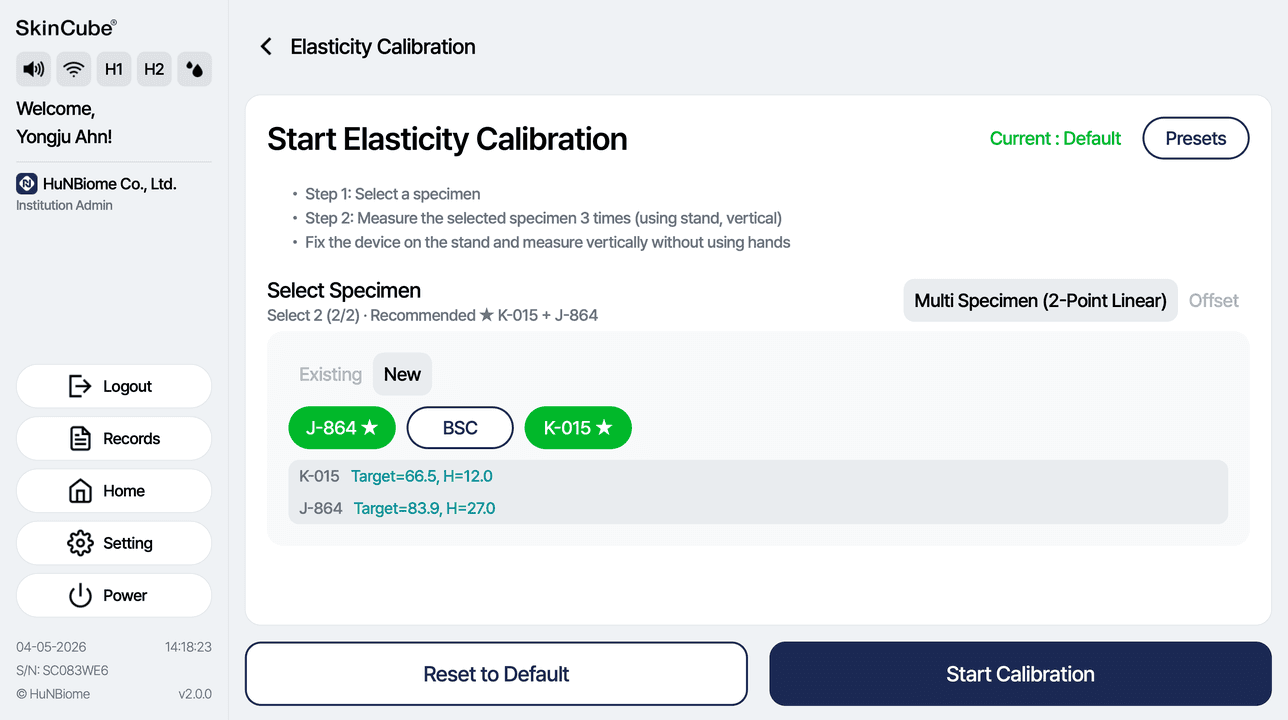
Select the prepared specimens, fix the elasticity device in the stand, and measure each specimen 3 times vertically without touching the device.
• Multi Specimen: 2 specimens (K-015 and J-864 recommended)