
4. Skin Measurement
Adding a Subject and Starting a Measurement
Records screen
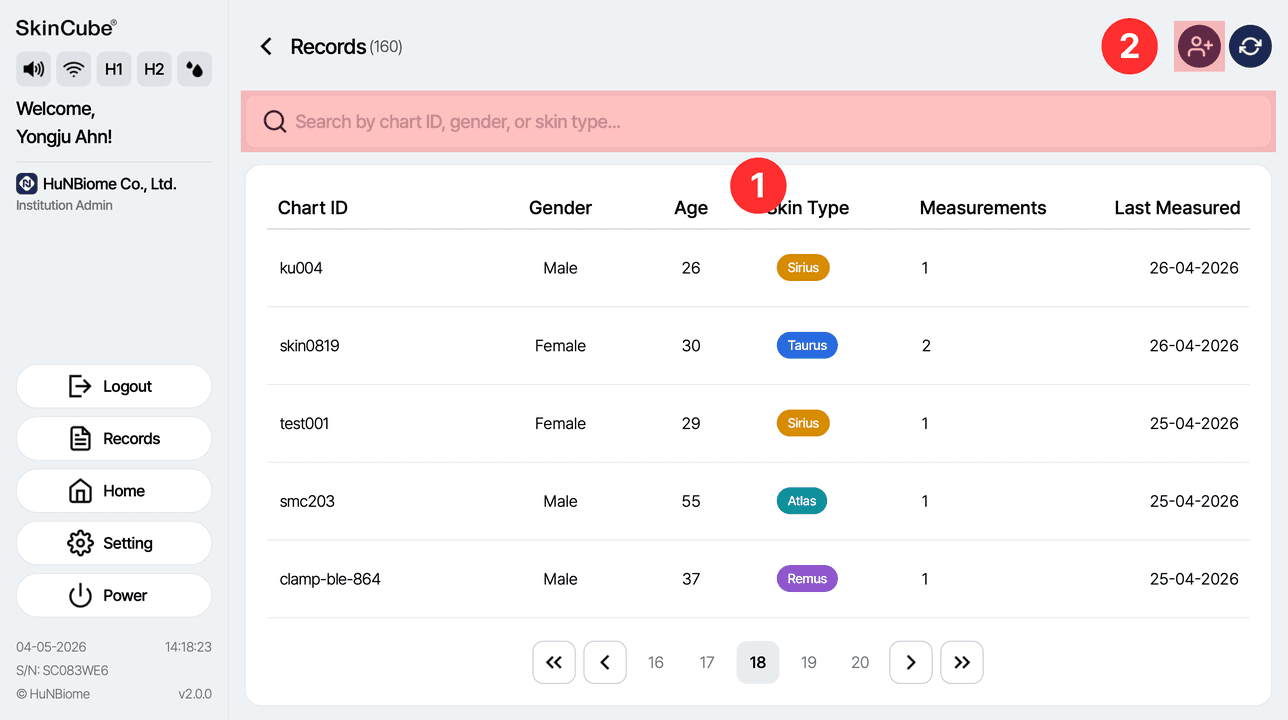
① Search for subject information.
② Add a new subject.
Adding a subject
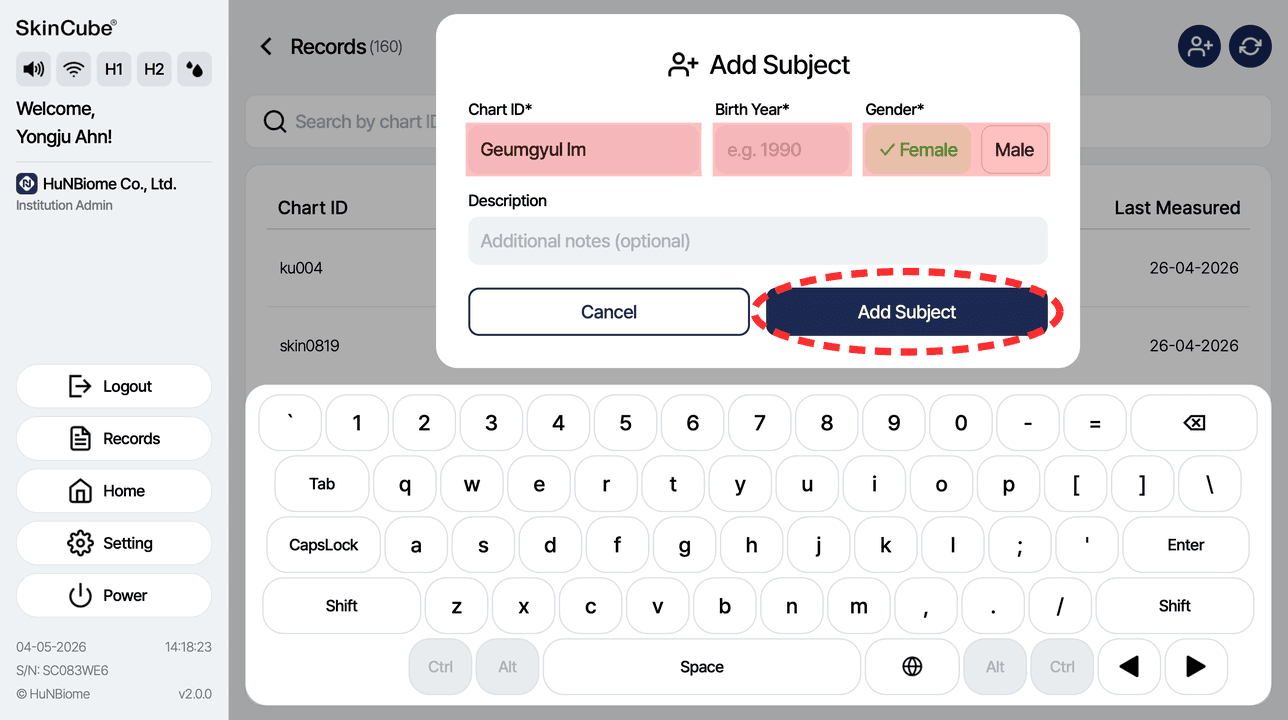
Enter the subject's Chart ID*, birth year*, sex* and description, then press Add Subject. *Required
Selecting a subject
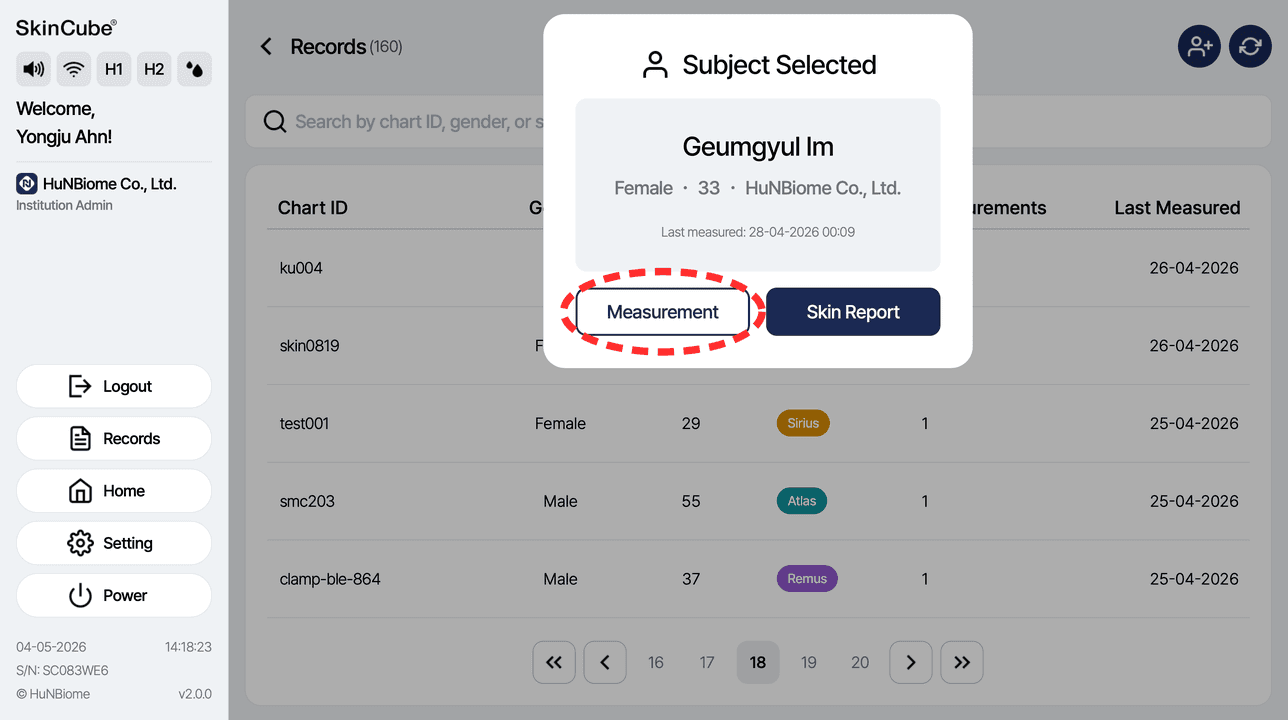
Tap a subject in the list, then press Start Measurement.
Analyzing a face photo
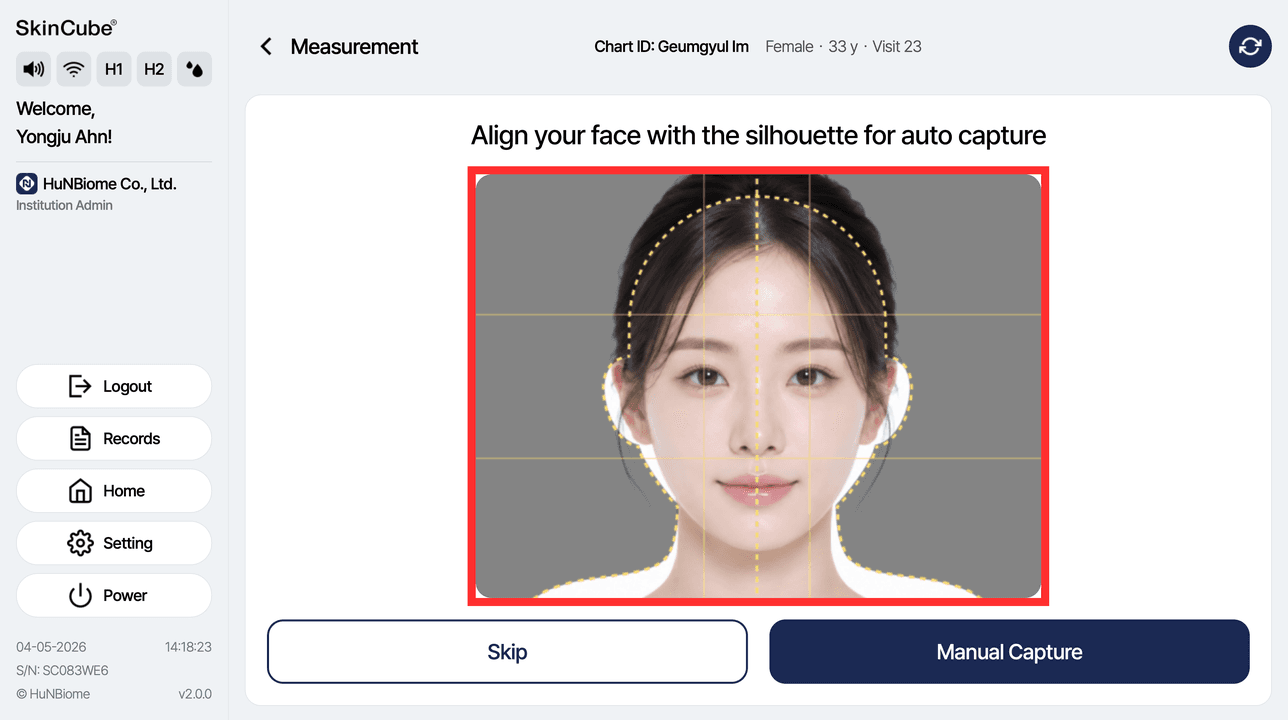
To analyze wrinkles, pigmentation and dark circles, position the face inside the yellow dotted line and the photo is taken automatically. Look at the camera at the top.
4-1. Skin Measurement
Tone

Checking the sensor connection
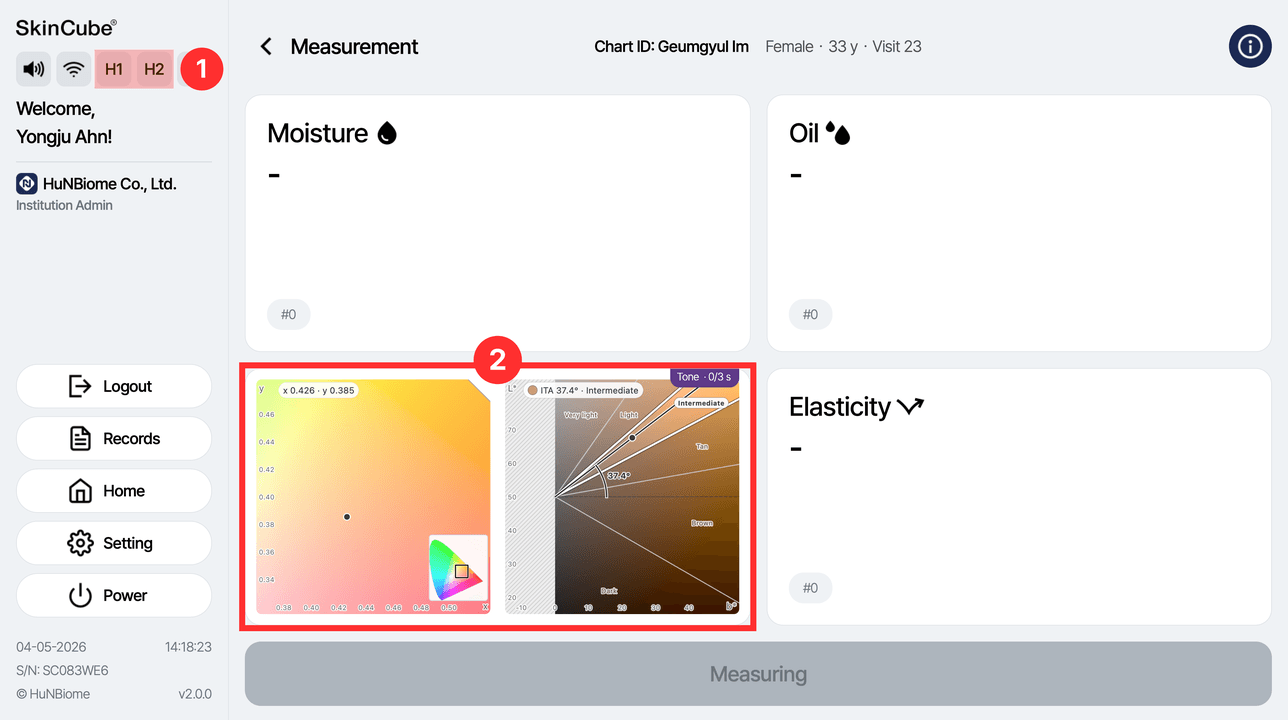
① Check the connection between the main unit and the probe in the left panel (H1/H2).
② Check the value currently being measured in the measurement status.
Measuring tone
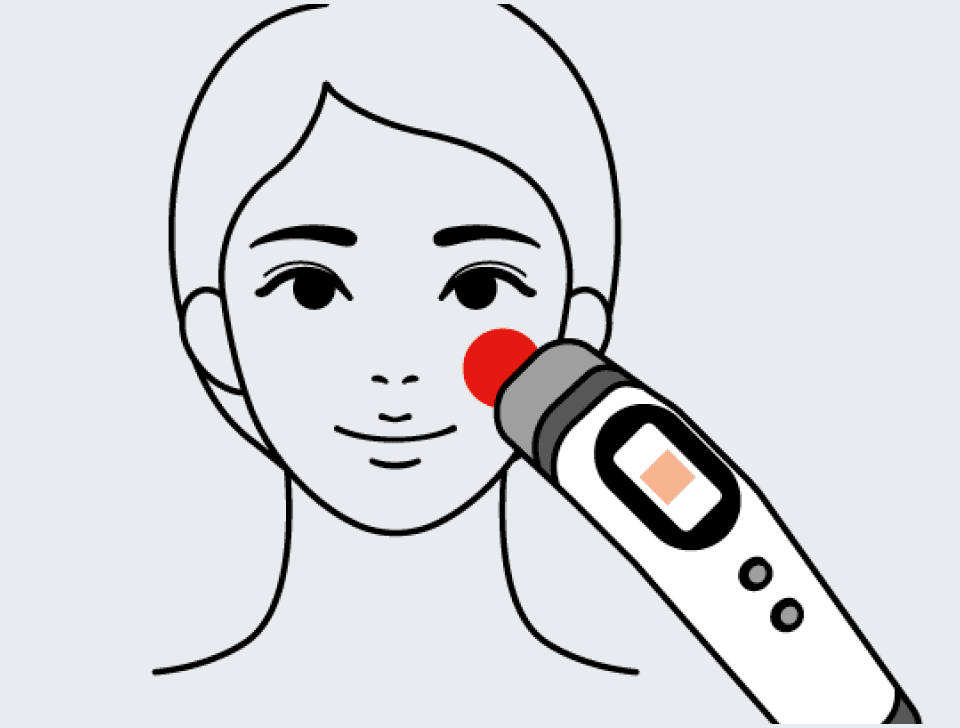
PositionBelow the cheekbone
DeviceTone probe
• Place the probe flat against the cheek below the cheekbone with no gap, then press the measure button (M).
• The measurement finishes in about 3 seconds.
Checking the tone value
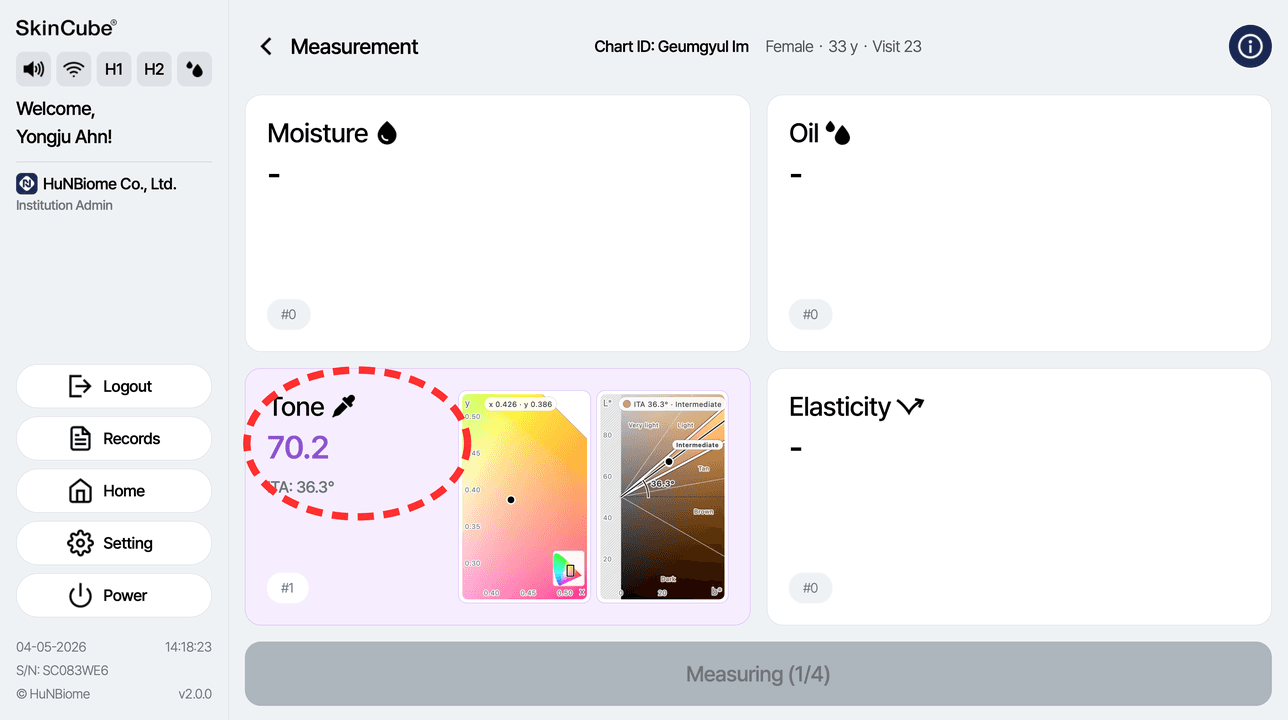
Check the result in the 'Tone' card at the lower left of the screen.
• ITA: skin color index
Cautions for tone measurement
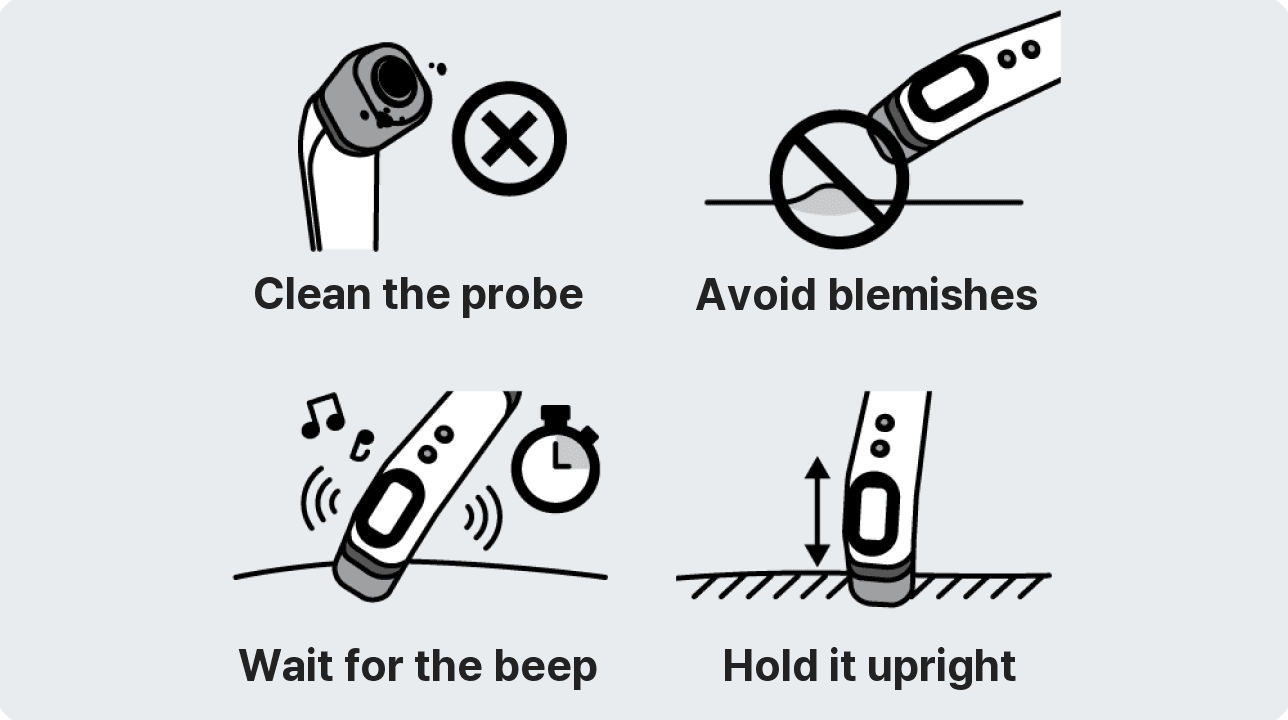
• Always clean the probe before measuring.
• Avoid measuring on wounds or blemishes.
• Keep the device in contact with the skin until the measurement is complete.
4-2. Skin Measurement
Moisture

Checking the sensor connection
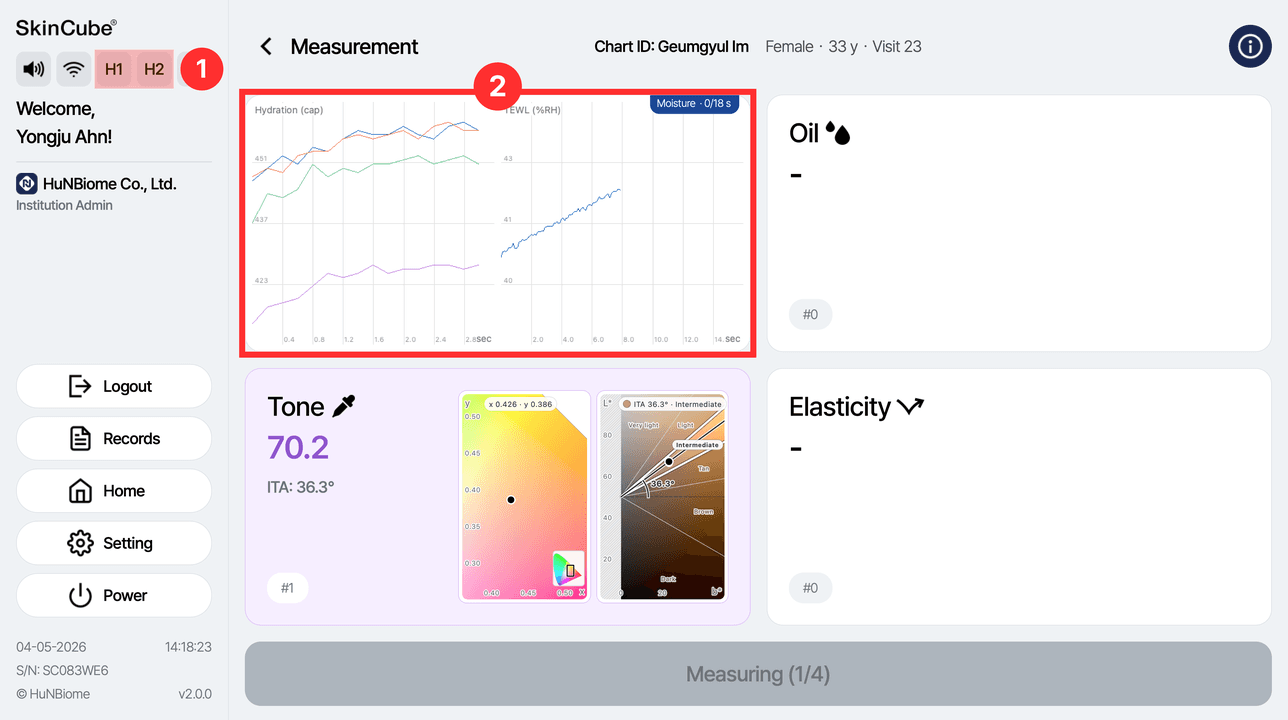
① Check the connection between the main unit and the probe in the left panel (H1/H2).
② Check the value currently being measured in the measurement status.
Measuring moisture
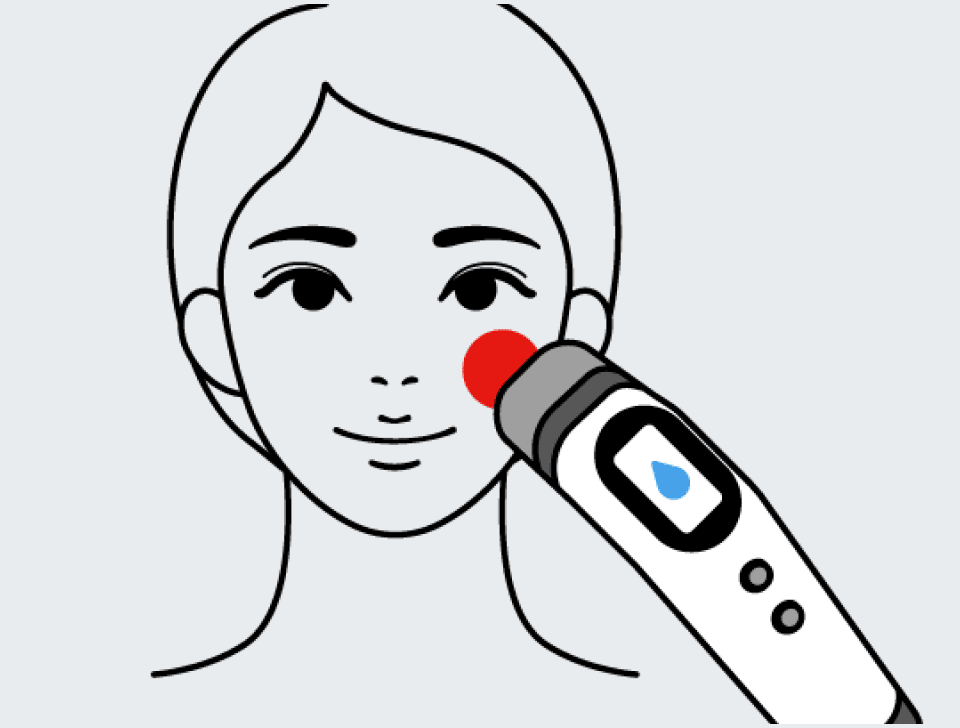
PositionBelow the cheekbone
DeviceMoisture probe
• Before measuring, shake the probe lightly. Place it against the cheek below the cheekbone with no gap.
• Press the measure button (M) and wait about 20 seconds.
Checking the moisture value
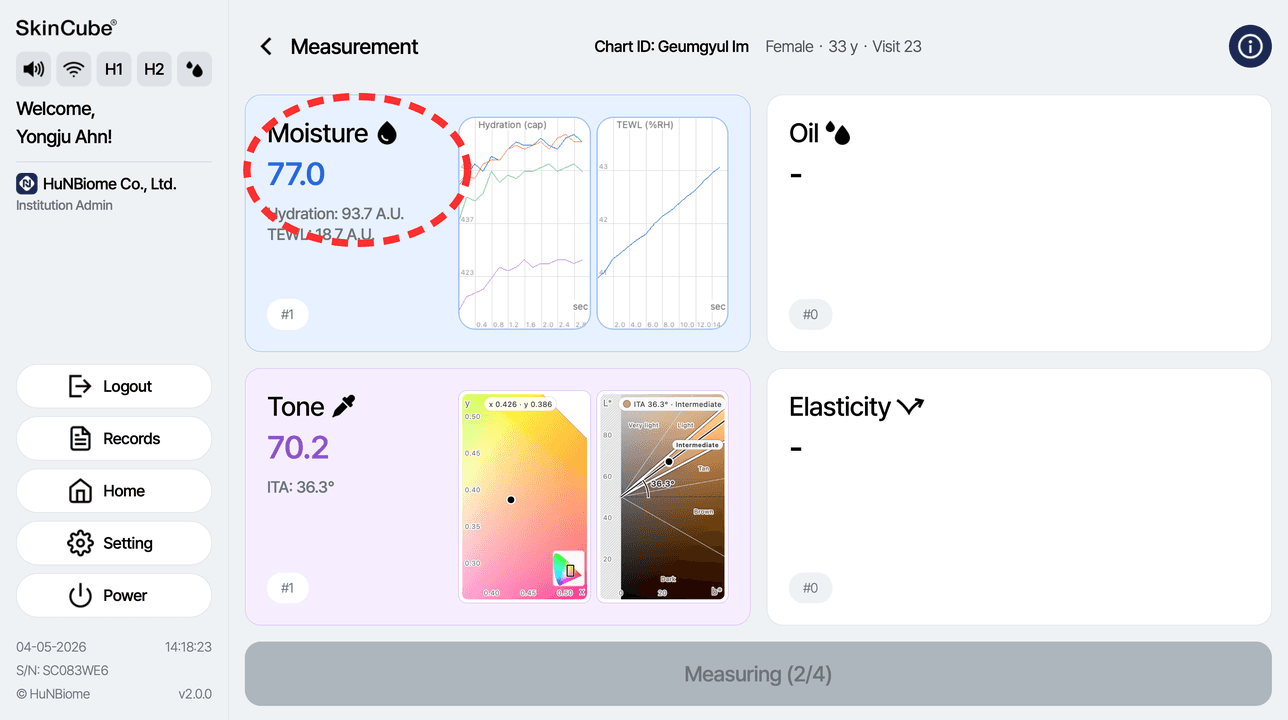
When the measurement is complete, check the result in the 'Moisture' card at the upper left of the screen.
• Hydration: amount of moisture
• TEWL: moisture loss
Cautions for moisture measurement
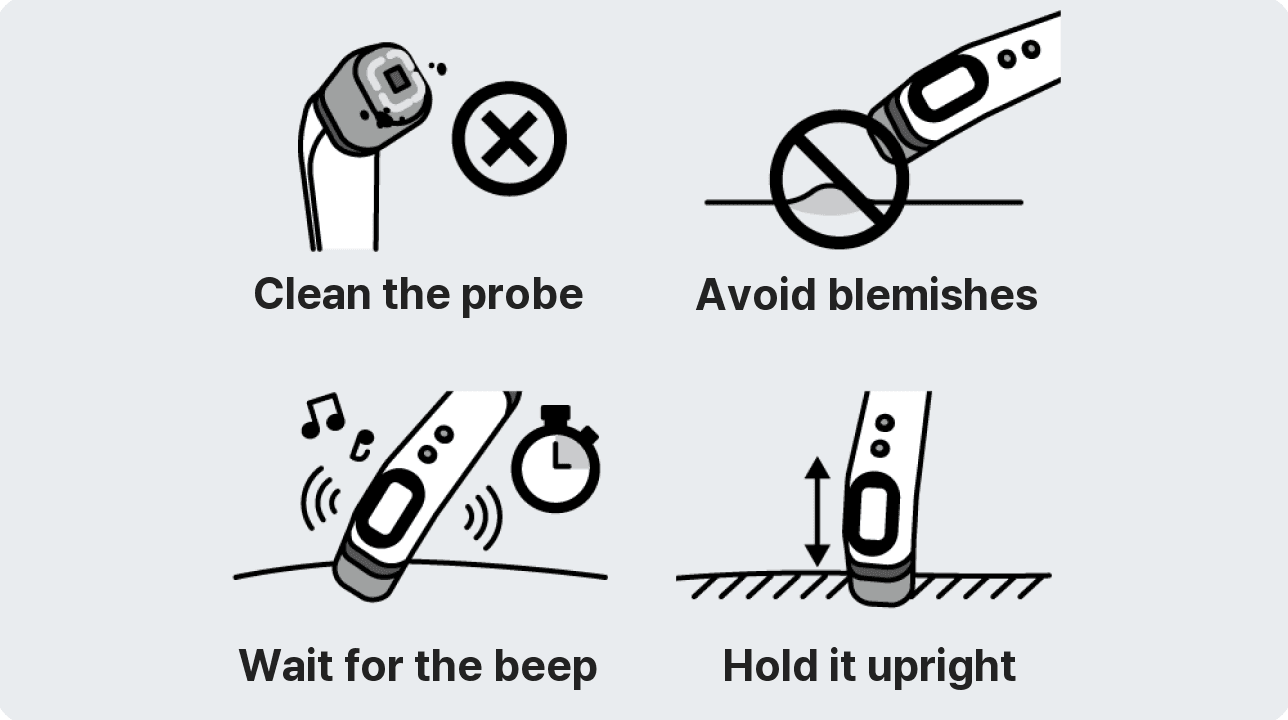
• Always clean the probe before measuring.
• Avoid measuring on wounds or blemishes.
• Keep the device in contact with the skin until the measurement is complete.
4-3. Skin Measurement
Oil

Checking the sensor connection
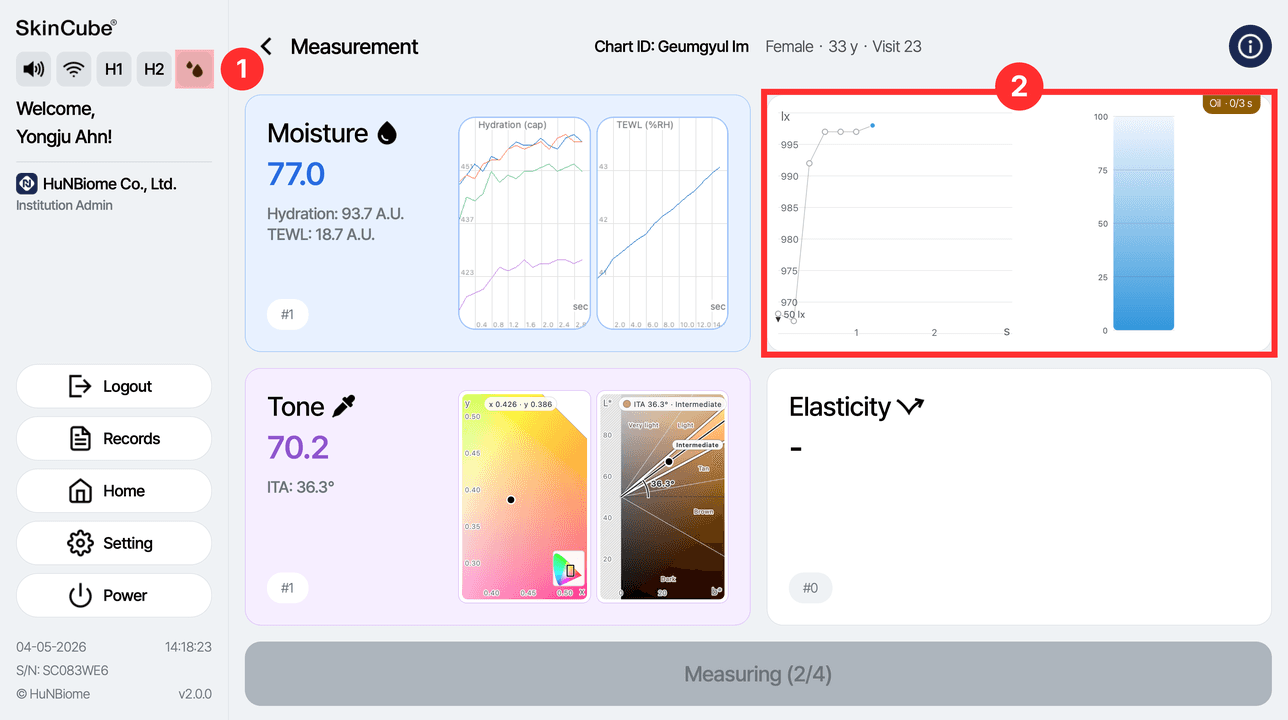
① Check that the oil icon in the left panel is active (main unit connected).
② Check the value currently being measured in the measurement status.
Measuring oil
PositionBetween the eyebrows
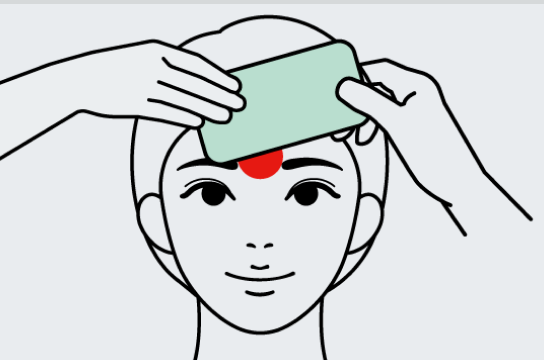
Device
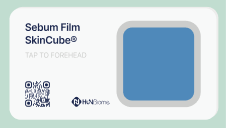

Cautions for oil measurement
• Do not touch the blue side of the film with your hands.
• Avoid measuring on wounds or blemishes.
• If the film is contaminated (touched or dropped), replace it with a new one.
• Do not remove the cartridge until the measurement is complete.
How to measure oil
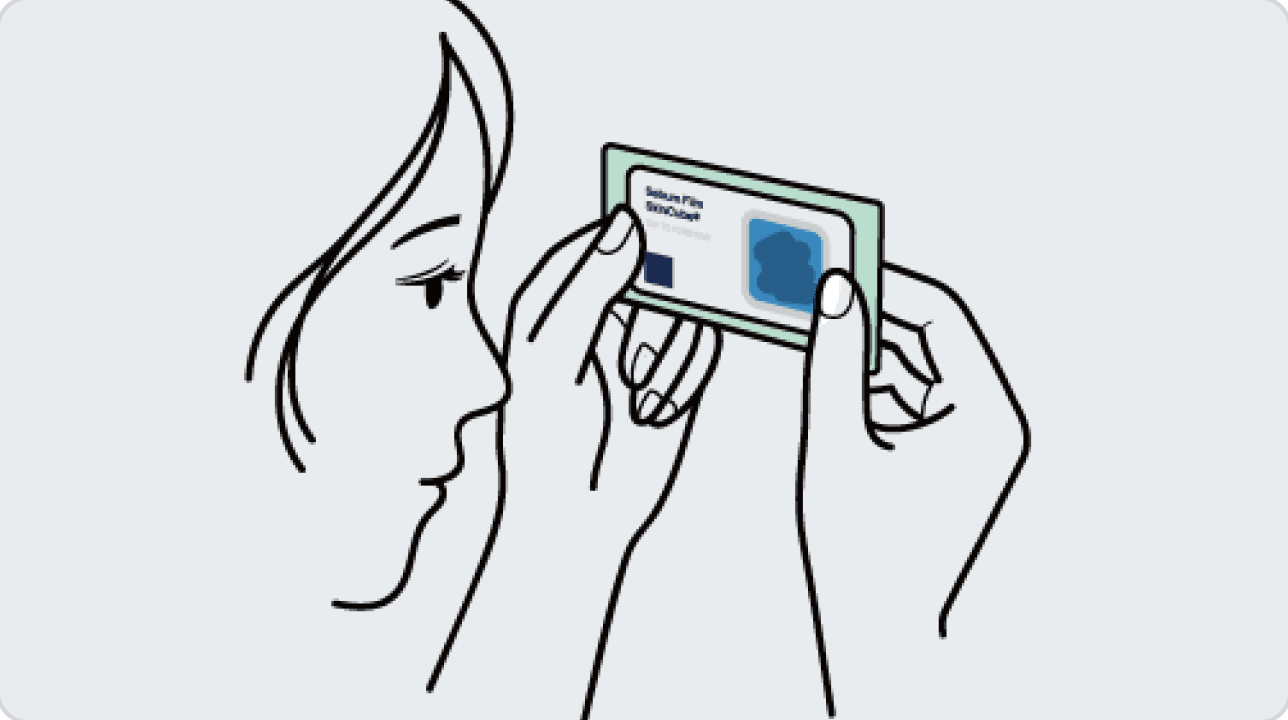
Press the blue side of the film against the area between the eyebrows for about 5 seconds to collect oil.
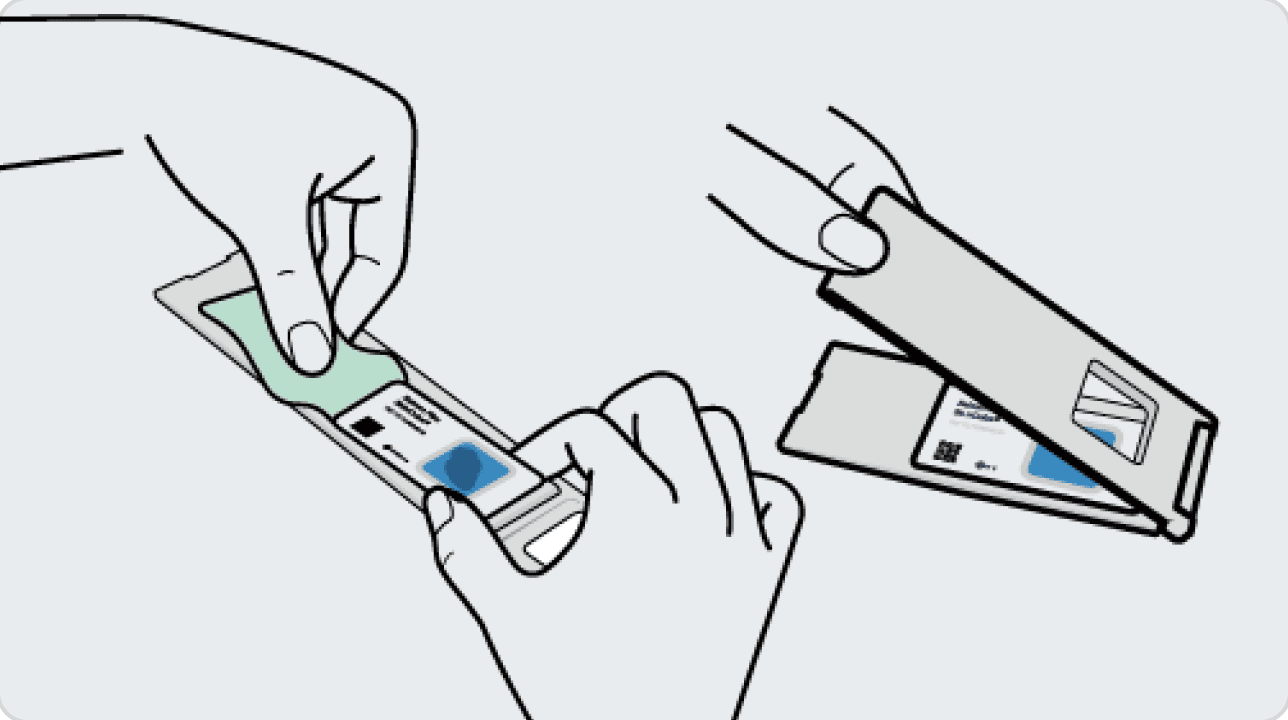
Peel off the backing on the film, attach it to the cartridge and close the cartridge fully.
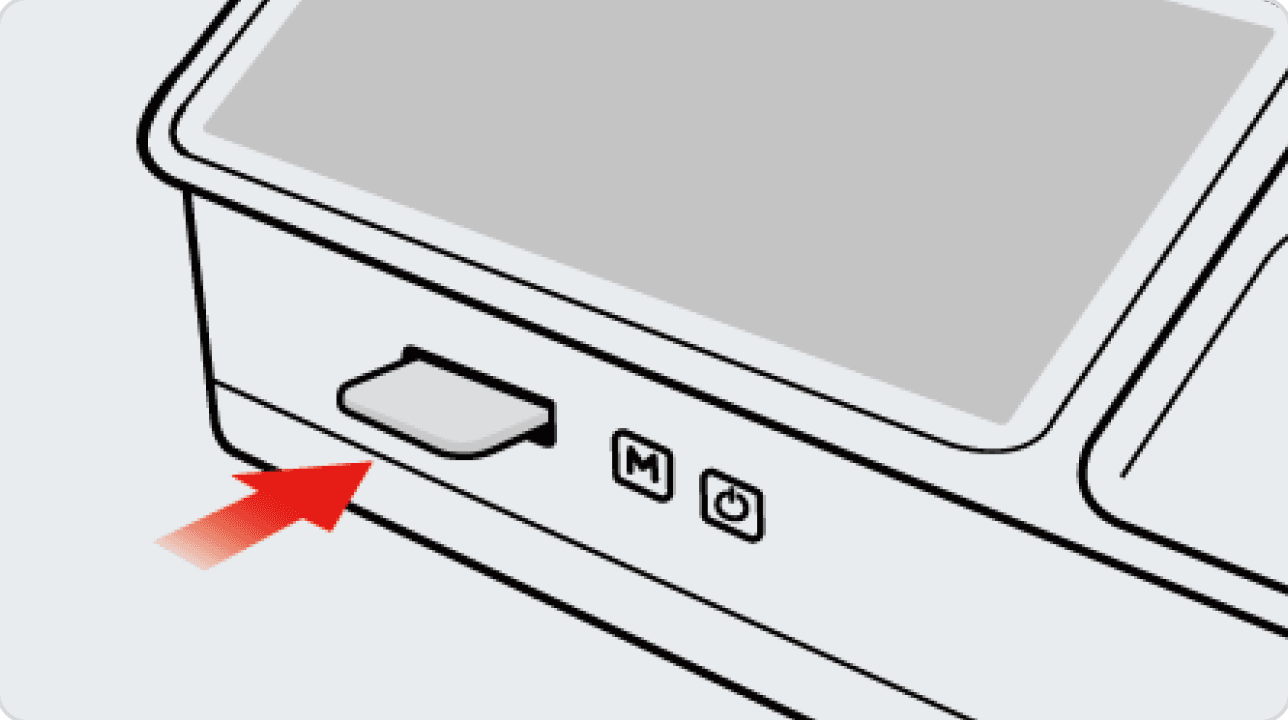
Insert the cartridge into the slot on the main unit and press the measure button (M) on the main unit. After about 5 seconds, check the 'Oil' value at the upper right of the screen.
4-4. Skin Measurement
Elasticity

Checking the sensor connection
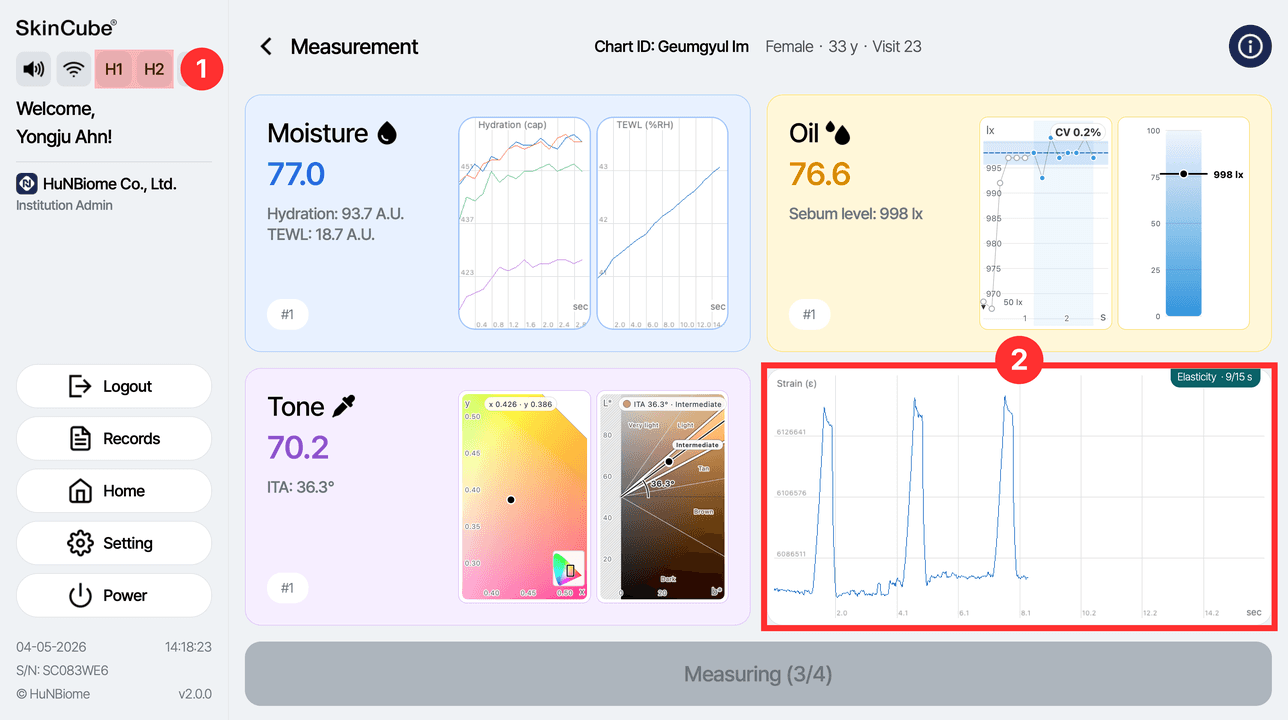
① Check the connection between the main unit and the probe in the left panel (H1/H2).
② Check the value currently being measured in the measurement status.
Measuring elasticity
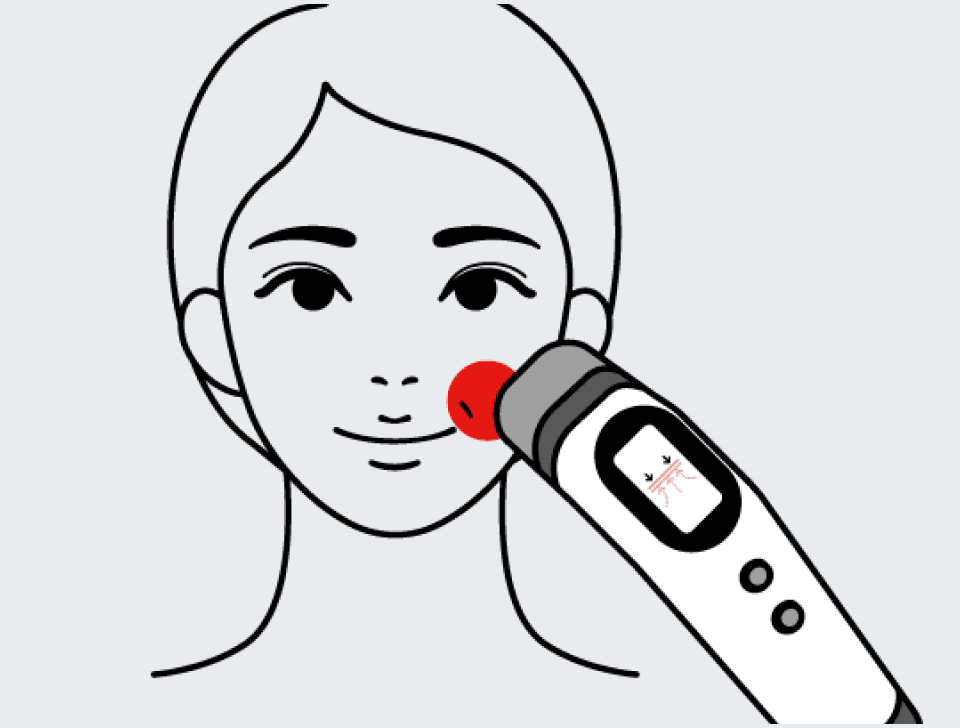
PositionSmile line
DeviceElasticity probe
• Place the device against the smile line next to the mouth and press the M button. The sensor moves and repeats the measurement 5 times, then stops.
• Check the result in the 'Elasticity' card at the lower right of the screen.
Cautions for elasticity measurement
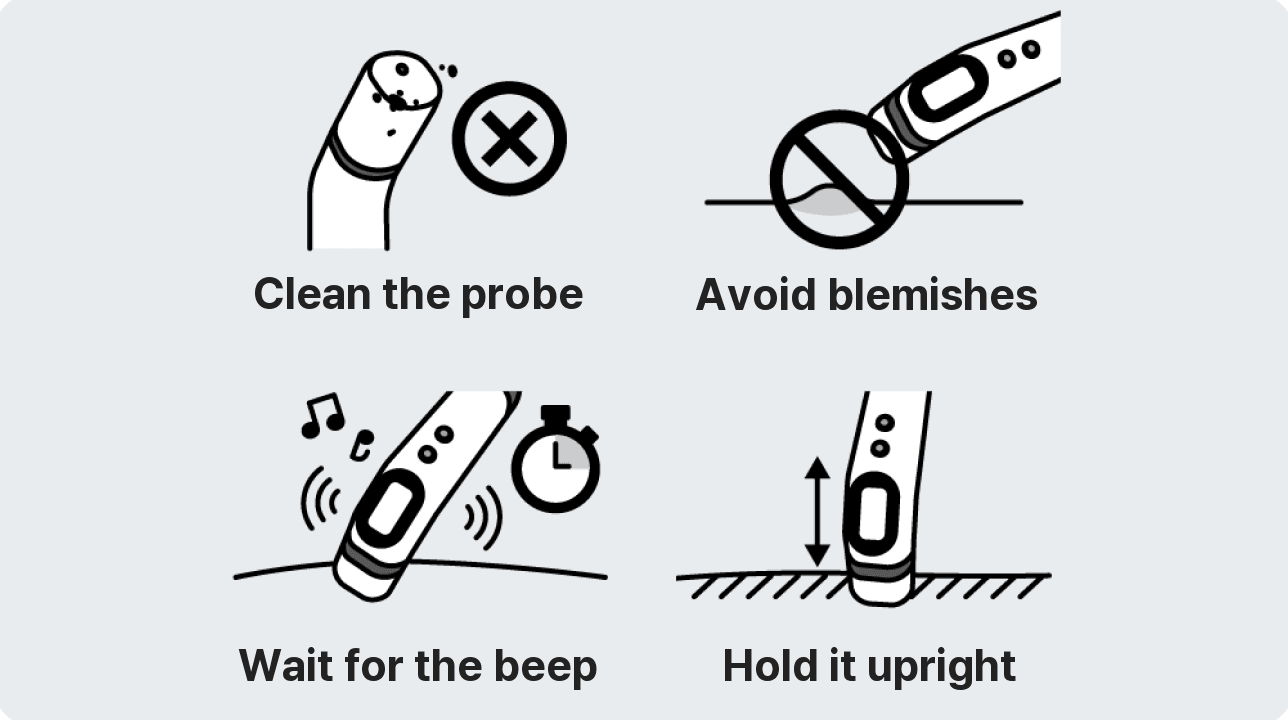
• Always clean the probe before measuring.
• Avoid measuring on wounds or blemishes.
• Keep the device in contact with the skin until the measurement is complete.
Finishing the Measurement
Measurement screen
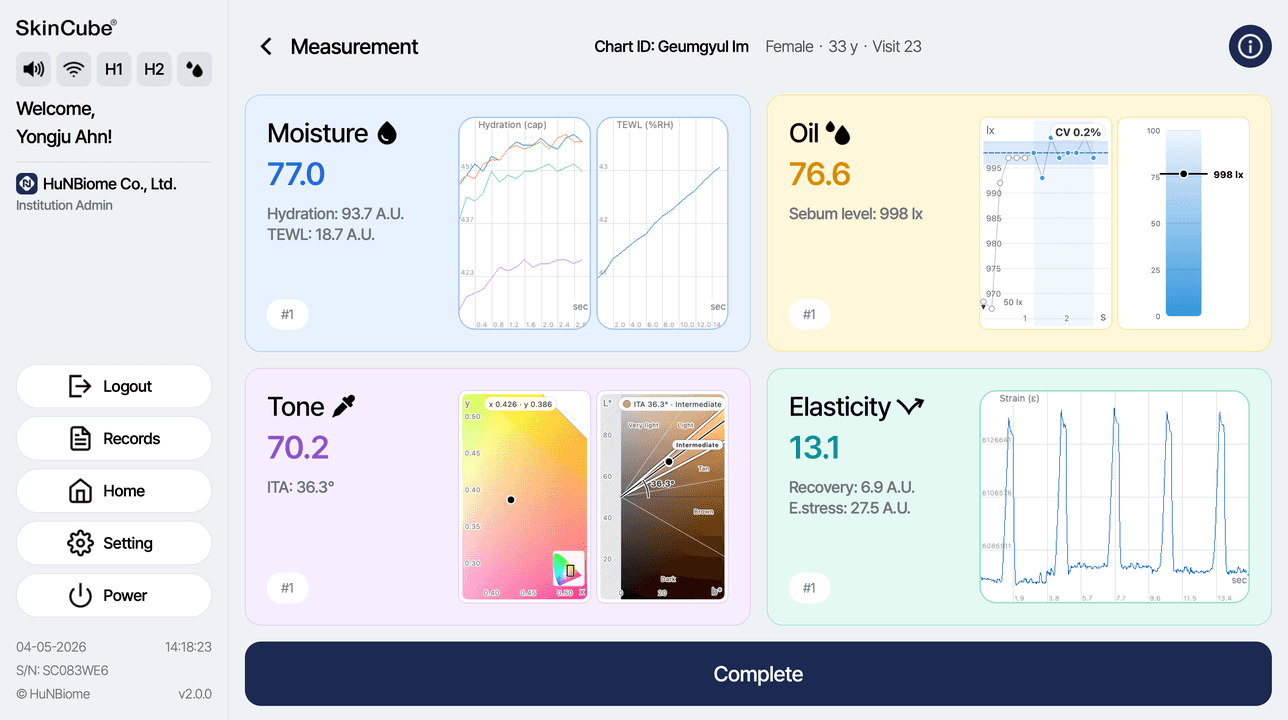
When all 4 measurements are done, the Complete button becomes active. Press it, then enter a measurement description or press Skip to open the skin report.
• ITA: skin color index
• Hydration: amount of moisture
• TEWL: moisture loss
• Sebum level: amount of oil
• E.stress: elasticity (firmness)
• Recovery: elasticity (recovery speed)