
2. Preparing the Device
Connecting the Main Unit and Turning On the Devices
Connecting the power cable
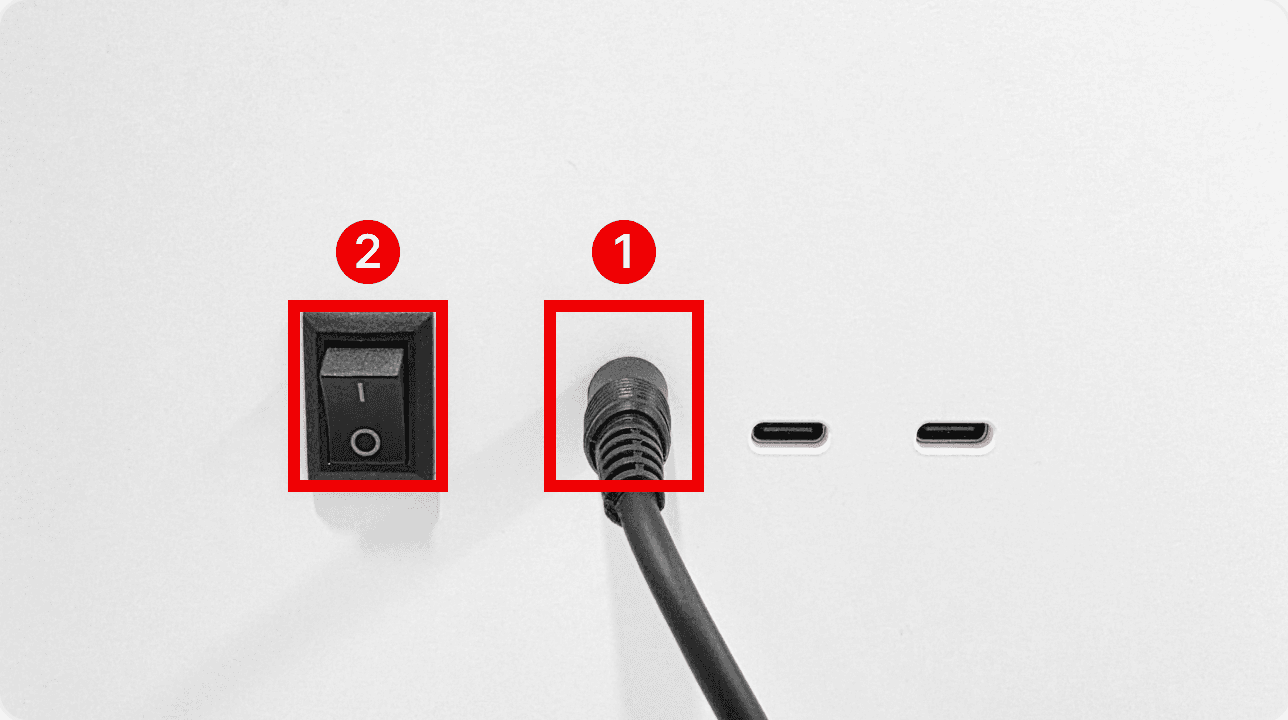
① Connect the power cable to the port on the back of the main unit.
② Turn the power switch ON (the "I" side).
Turning the main unit on and off
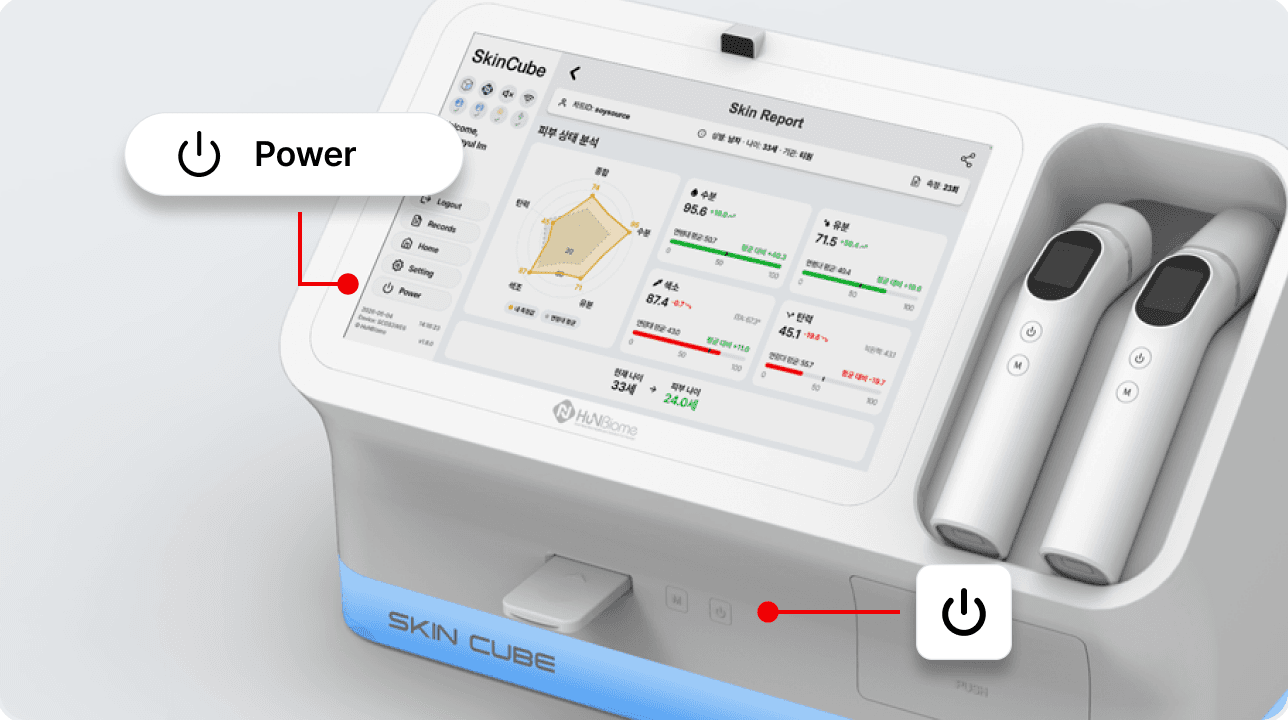
• Power ON/OFF: Press the power button on the front of the main unit for 1 second (on) or 3 seconds (off), or press the Power button on the screen.
Probe storage
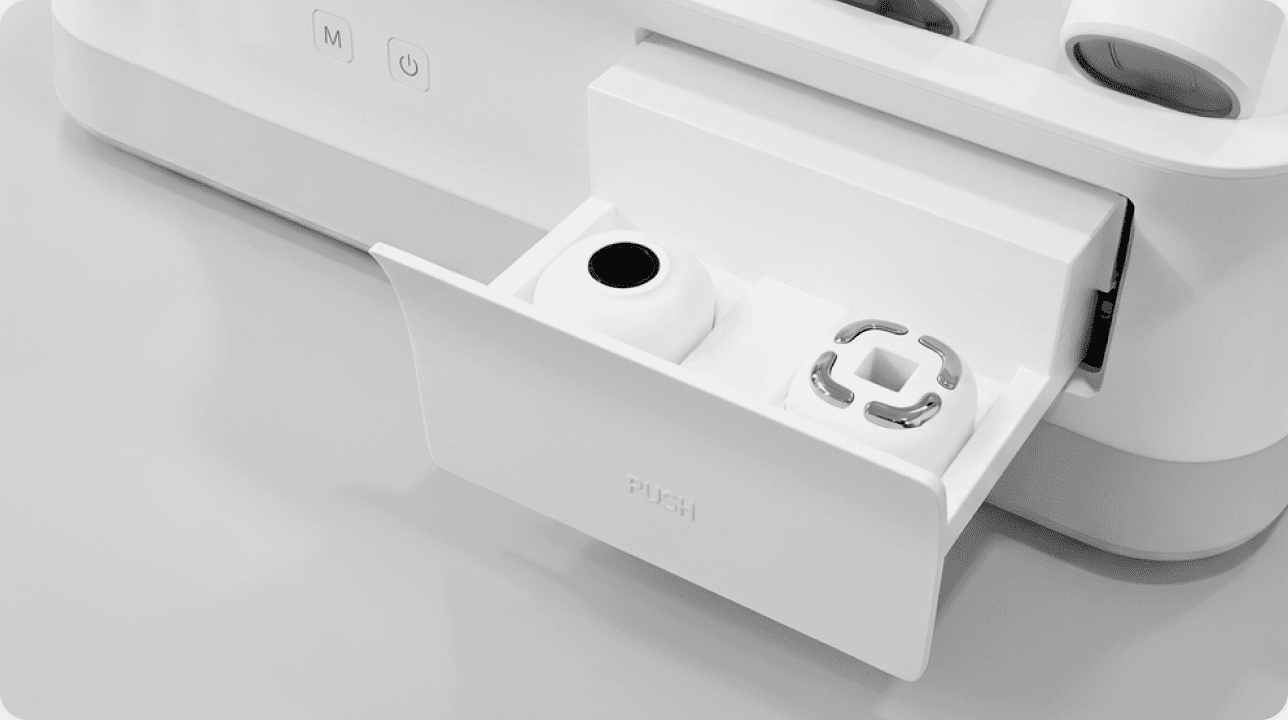
Probes can be stored in the space at the lower right of the main unit.
Turning on the handpiece
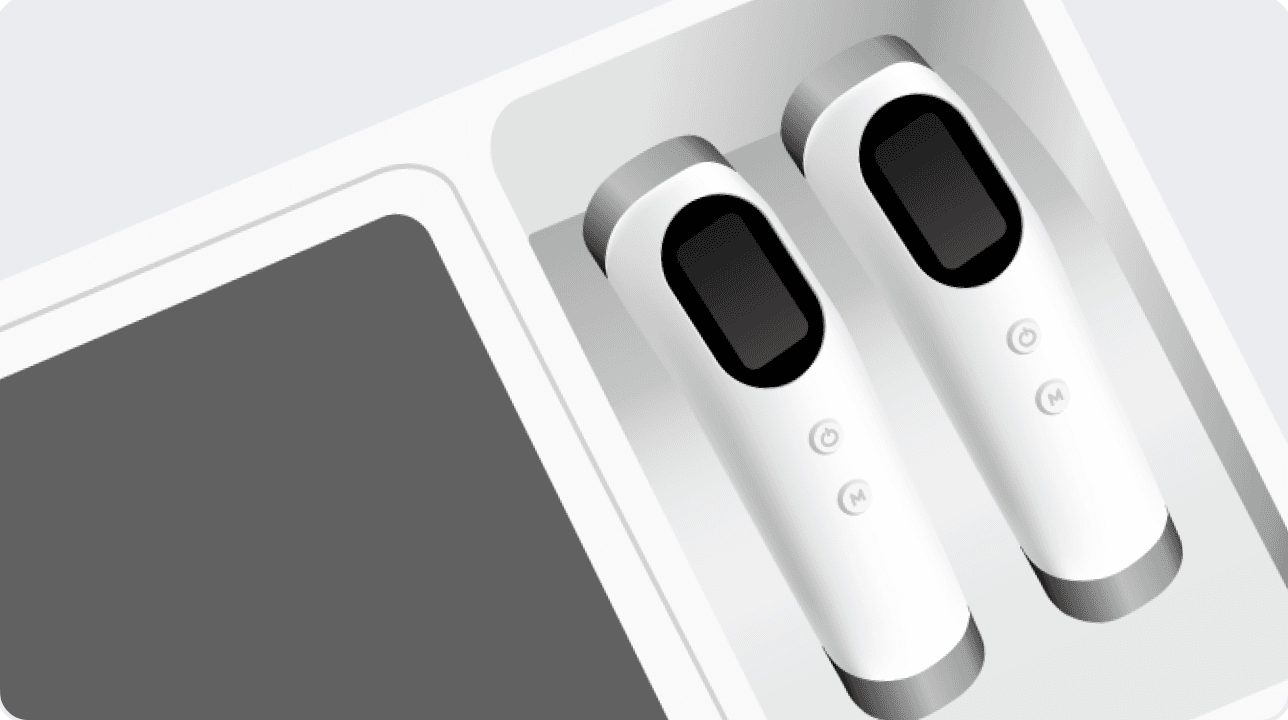
Attach a probe to the head of the handpiece before use.


 3 sec
3 sec• Power ON/OFF: Press and hold the power button for 3 seconds.
• Measure: Press the M button once.
Attaching a probe to the handpiece
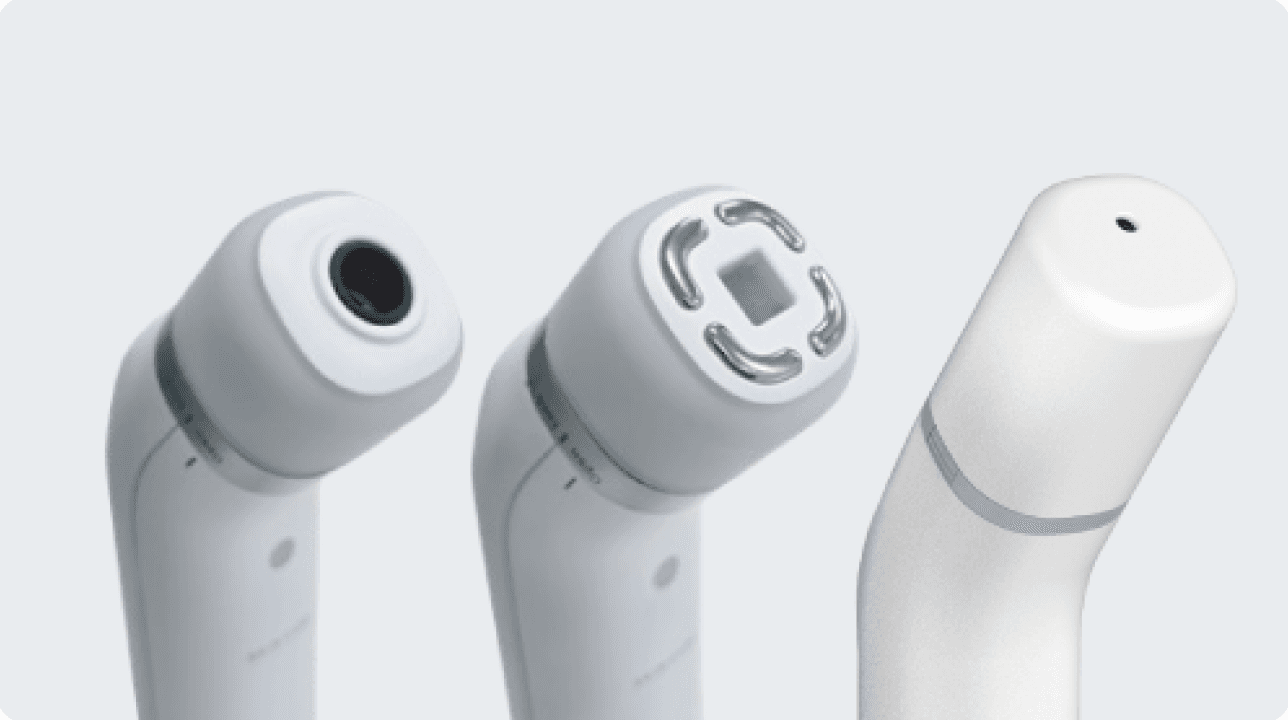
• The LED shows the power status.
• Attach the tone, moisture or elasticity probe to the handpiece before use.
Starting the App and Logging In
Automatic start

The SkinCube app starts automatically when the device is turned on. If it does not, tap the SkinCube icon on the desktop to start it.
App loading screen

The app is loading. Please wait a moment.
Connecting to Wi-Fi
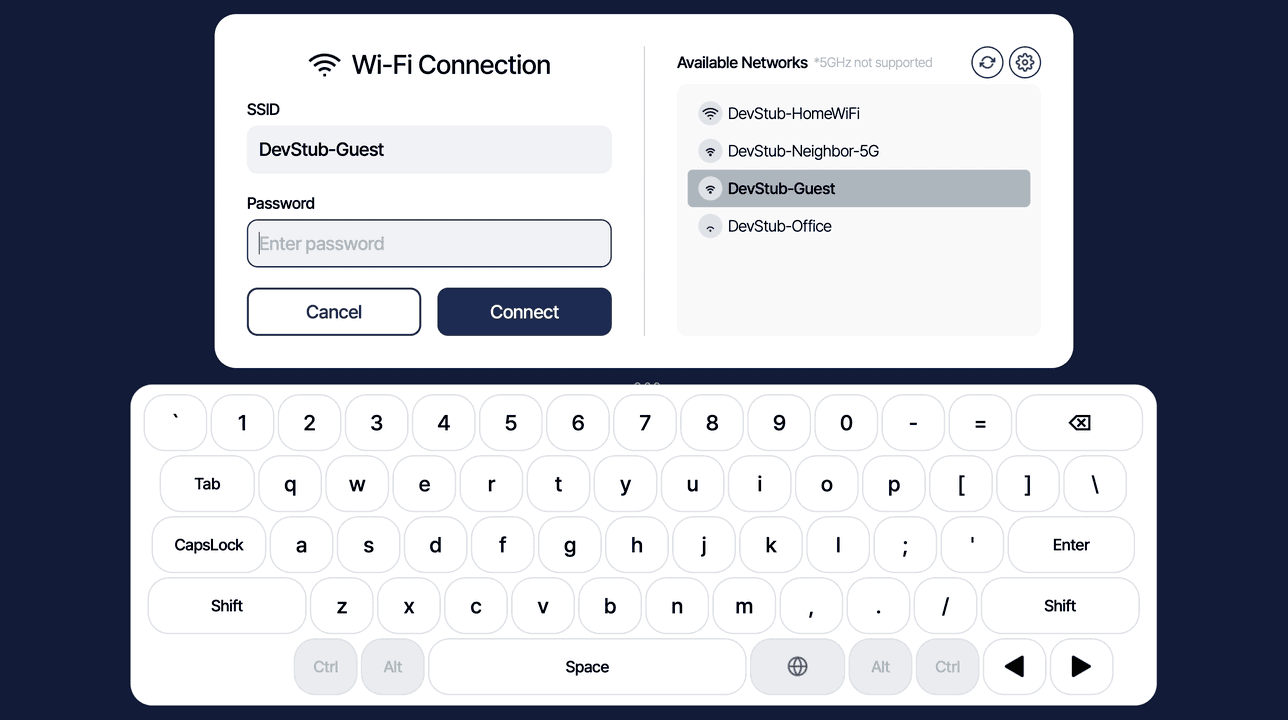
If the network is not connected, enter the details in the Wi-Fi connection pop-up.
• SSID (network name), Password
Selecting an account from the list
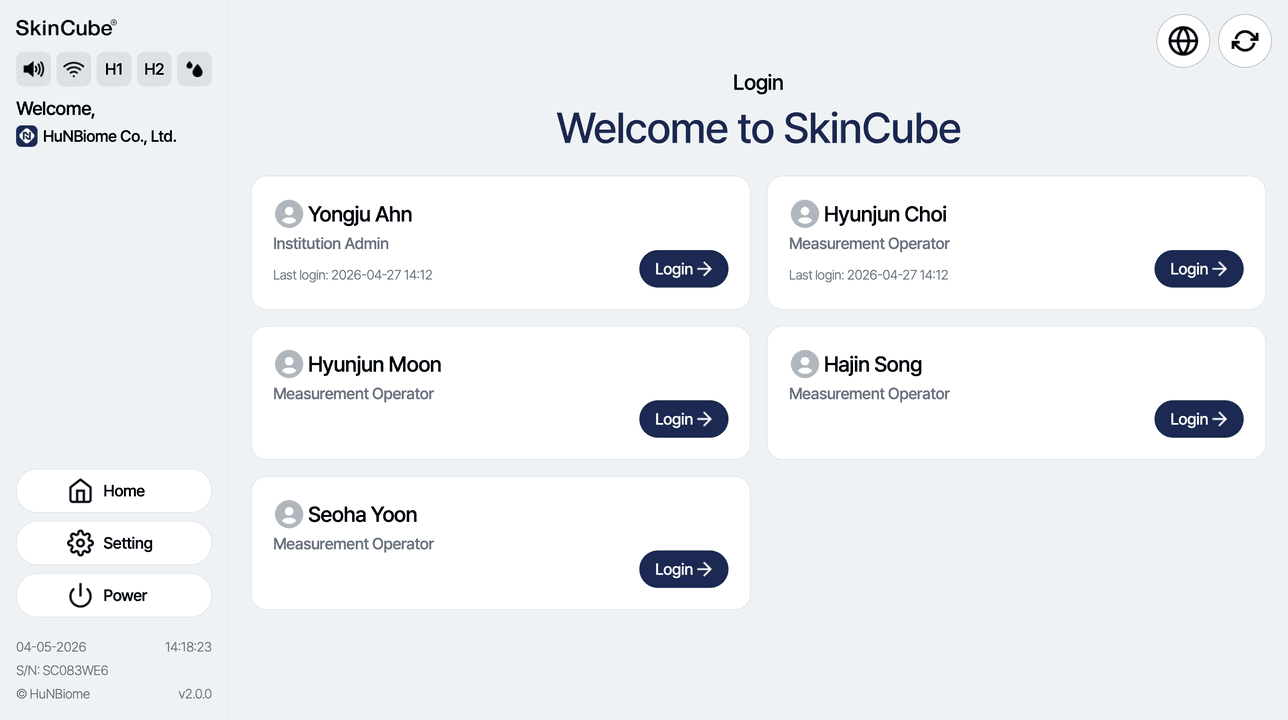
After your first login, automatic login stays active for one week.
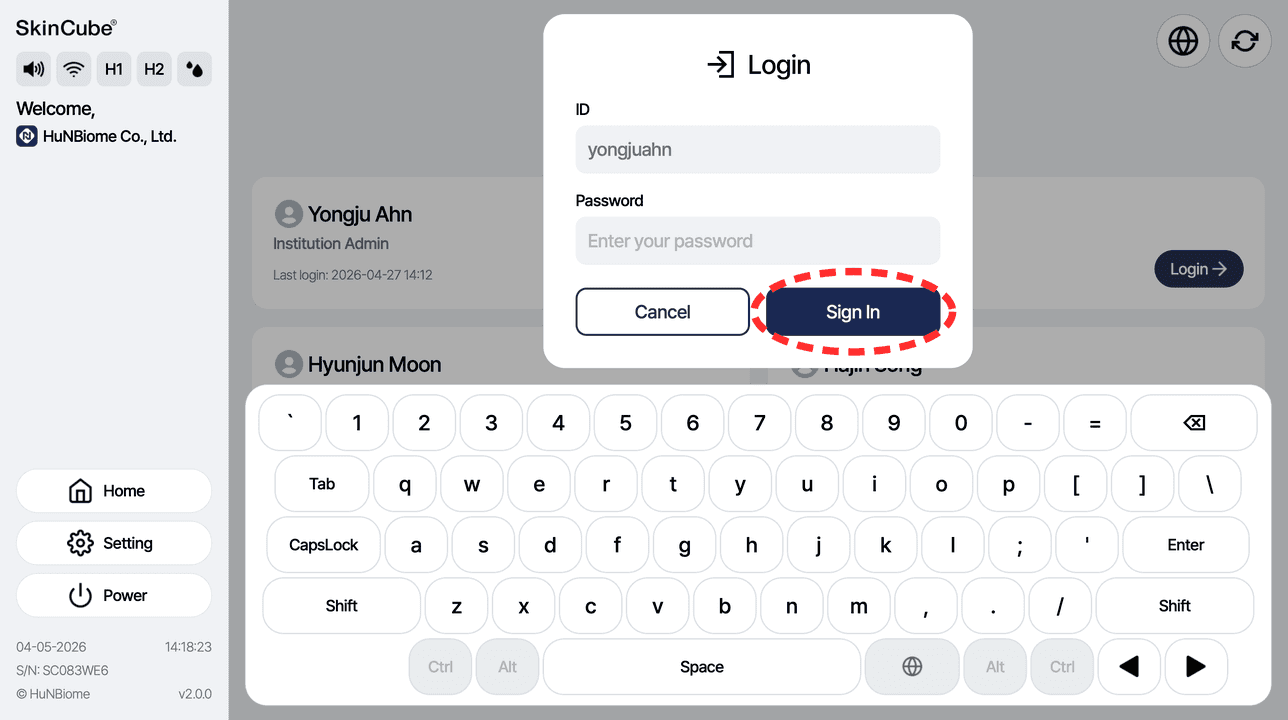
Enter your password and log in.